
It is really important to use headings correctly on your website. This is so people using a screenreader can quickly scan a page and find the content they need and so search engines will index your site more thoroughly – headings are picked up as more important than standard paragraph text.
- This means that you need to highlight the text and apply a heading style and not just make the text bold; This is very common mistake if you are copying and pasting from a document.
- To create a heading within your page click the plus sign to add a new block and select ‘Heading 3′

- Please refer to your specific site instructions as there may be different tools for achieving this.
- Generally on a website ‘Heading 1’ is reserved for the title of the whole site.
- Therefore you should be using Heading 2 or Heading 3 within your page – check your editing tips page to confirm which.
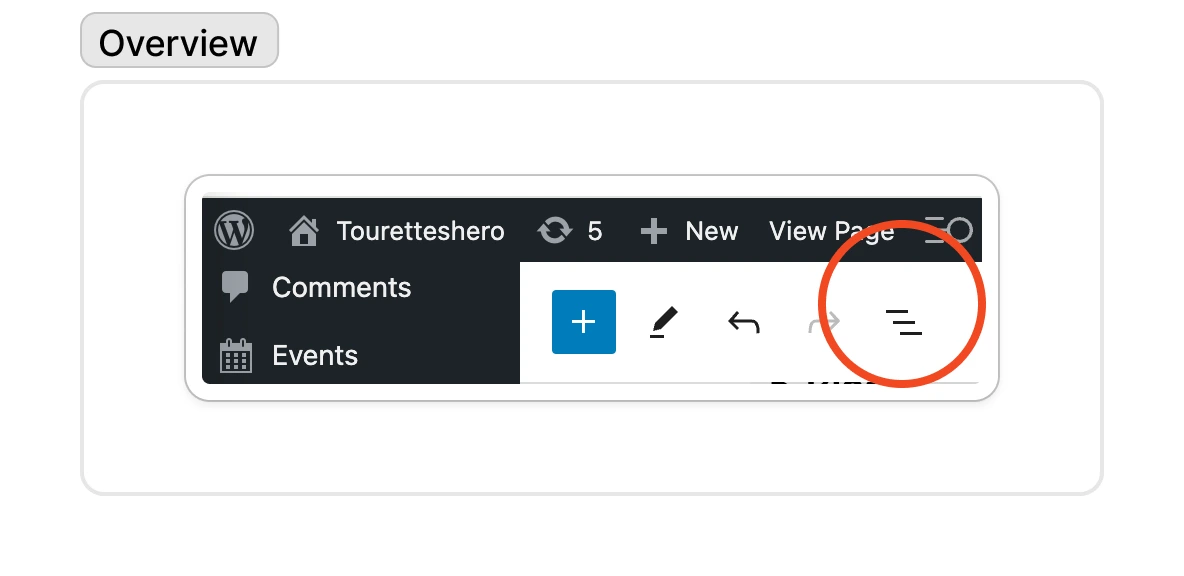
- The main takeaway is that the headings should be hierarchical. Within WordPress there is a tool to check this on each page. Click on the three dashes at the top of the page, to the right of the toolbar:
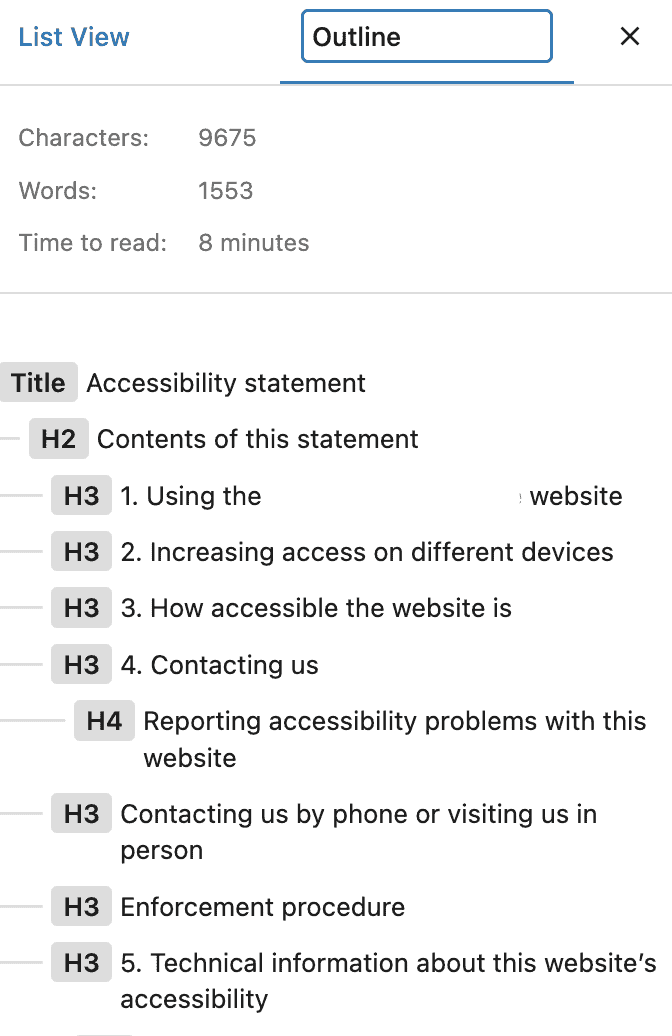
Select the Outline tab, you will see all the headings on your page.
The below shows the correct hierarchy with the title being Heading 1.
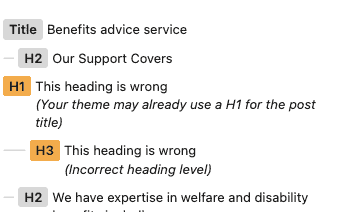
- If there is an error in the heading structure it will highlight it in yellow
- If you have pasted in text that is already bold, you will need to change it to a heading. Select the block and transform it to a Heading.

- Keep in mind 65 characters or less (including spaces). This is because search engines truncate (cut off) titles in Google search results over that number. Words or parts of words will be cut off.
- Make sure your title is unique. It’s not helpful for people if search results show a list of pages with the exact same title.
- Titles should be clear and descriptive. The title should provide full context so that people can easily see if they’ve found what they’re looking for
- Front-load your titles. The most important information and the words the user is mostly likely to have searched should be at the beginning of the search result.